Licensing
ℹ️
Valid from version 1.x.x
Introduction
All applications use a secure and modern licensing system to ensure that the software is only used on authorized devices. Each license is tied to a specific device and provides protection against tampering and unauthorized use.
License Request
To obtain a license for the app, please contact our support team at [email protected].
Required Information:
- Unique Device ID: This is generated by the software and is required to bind the license to your device.
- Customer Data: Your company name and contact information.
- Application name: The name of the application to be licensed.
Steps to Request a License:
- Launch the app on the target device.
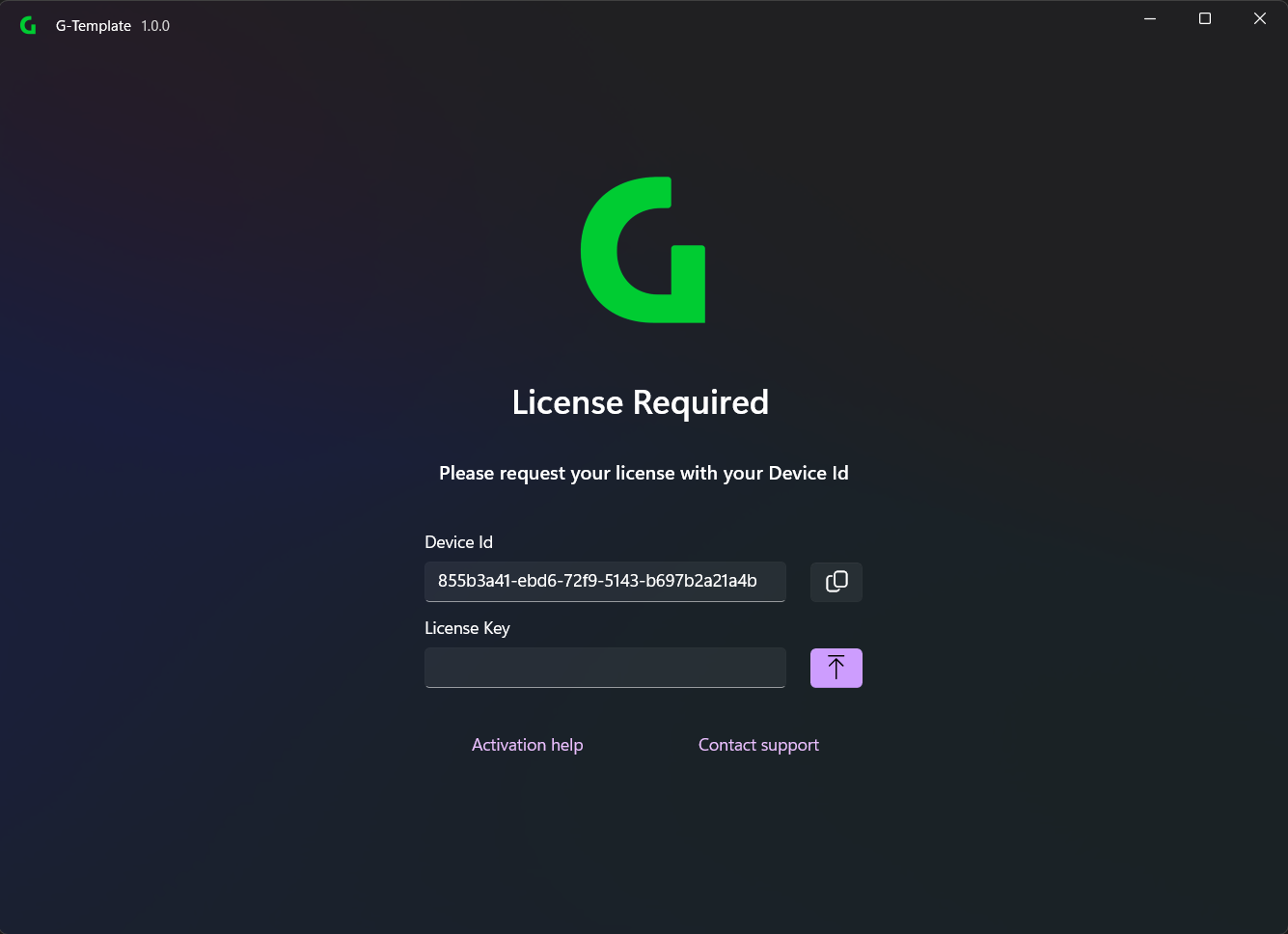
- The licensing screen displays the Device ID.
- Send an email to [email protected] with the device ID and your customer data and application name.
- Our support team will send you a license file that you can import into the software.
License Import
After receiving the license file, you can import it into the software:
- Open the app.
- The license can be uploaded in the licensing screen.
- The software automatically validates the license and activates the corresponding features.
❗
Keep your license file safe, as it is required to reactivate the software on the same device.
Support
If you have any questions about licensing or need assistance, our support team is happy to help. Contact us at [email protected].