User Settings
Windows
ℹ️
You must be logged in as Admin to change these settings
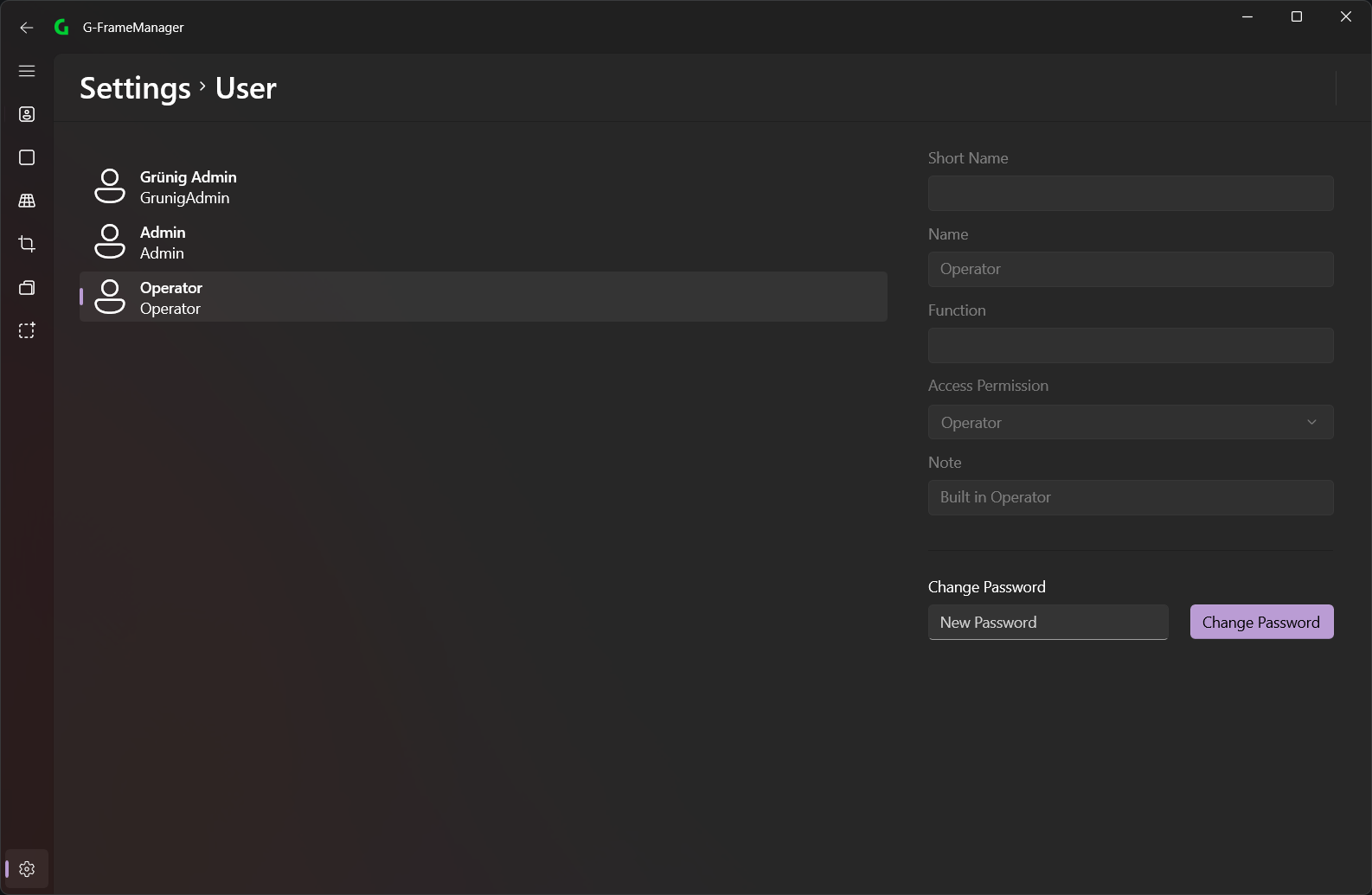
On this page you can see all users of the application and change their settings. There are the following users:
- Operator: This can do everything on the FrameId page
- Admin: This can edit all settings and use all functions of the application
- Grünig Admin: This user is intended for Grünig
You can also set the passwords for the individual users here.
💡
If no password is set, this user will be automatically logged in when the application starts
Android
ℹ️
You must be logged in as Admin to change these settings
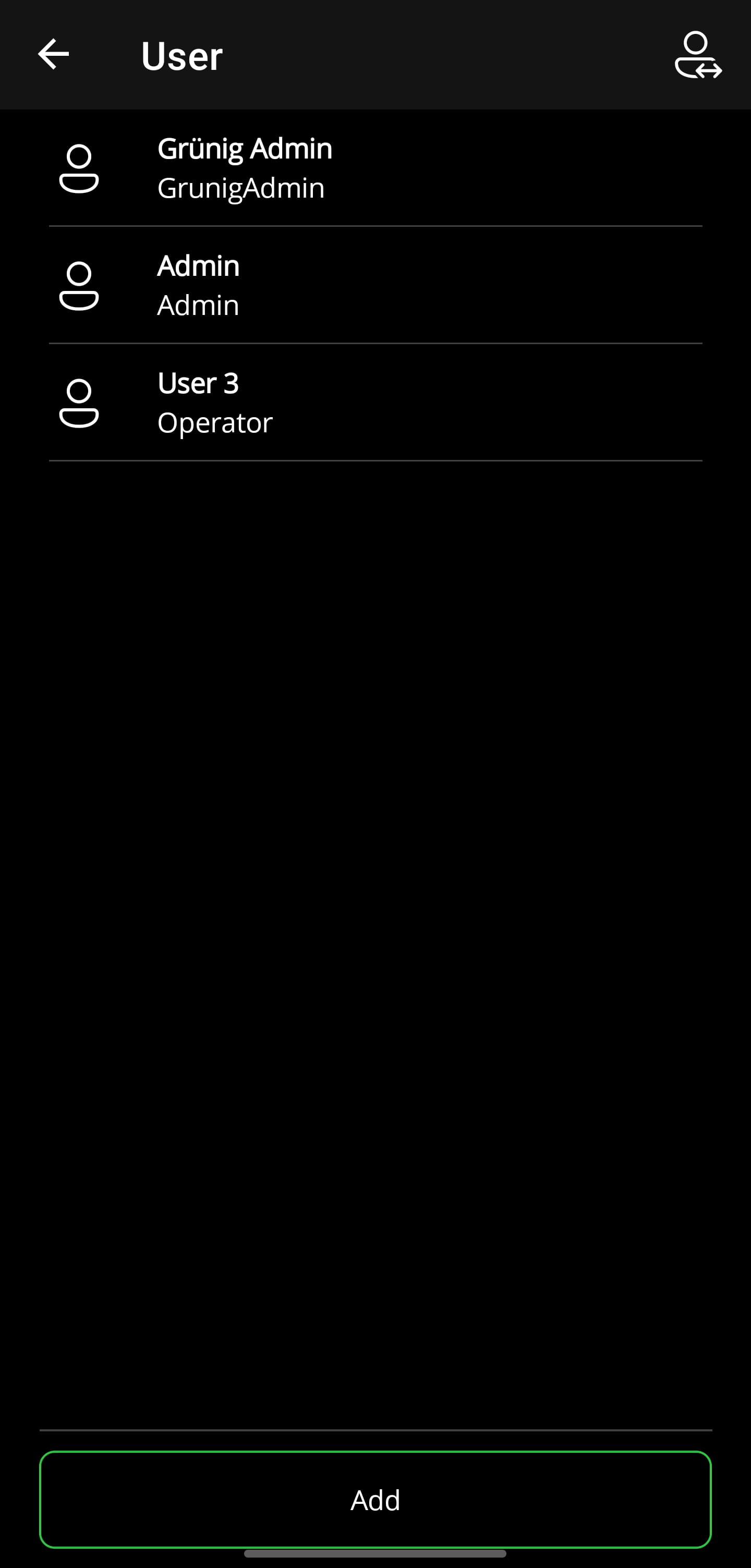
On this page you can see all users of the application and change their settings. There are the following users:
- Operator: This can do everything except change settings
- Admin: This can edit all settings and use all functions of the application
- Grünig Admin: This user is intended for Grünig
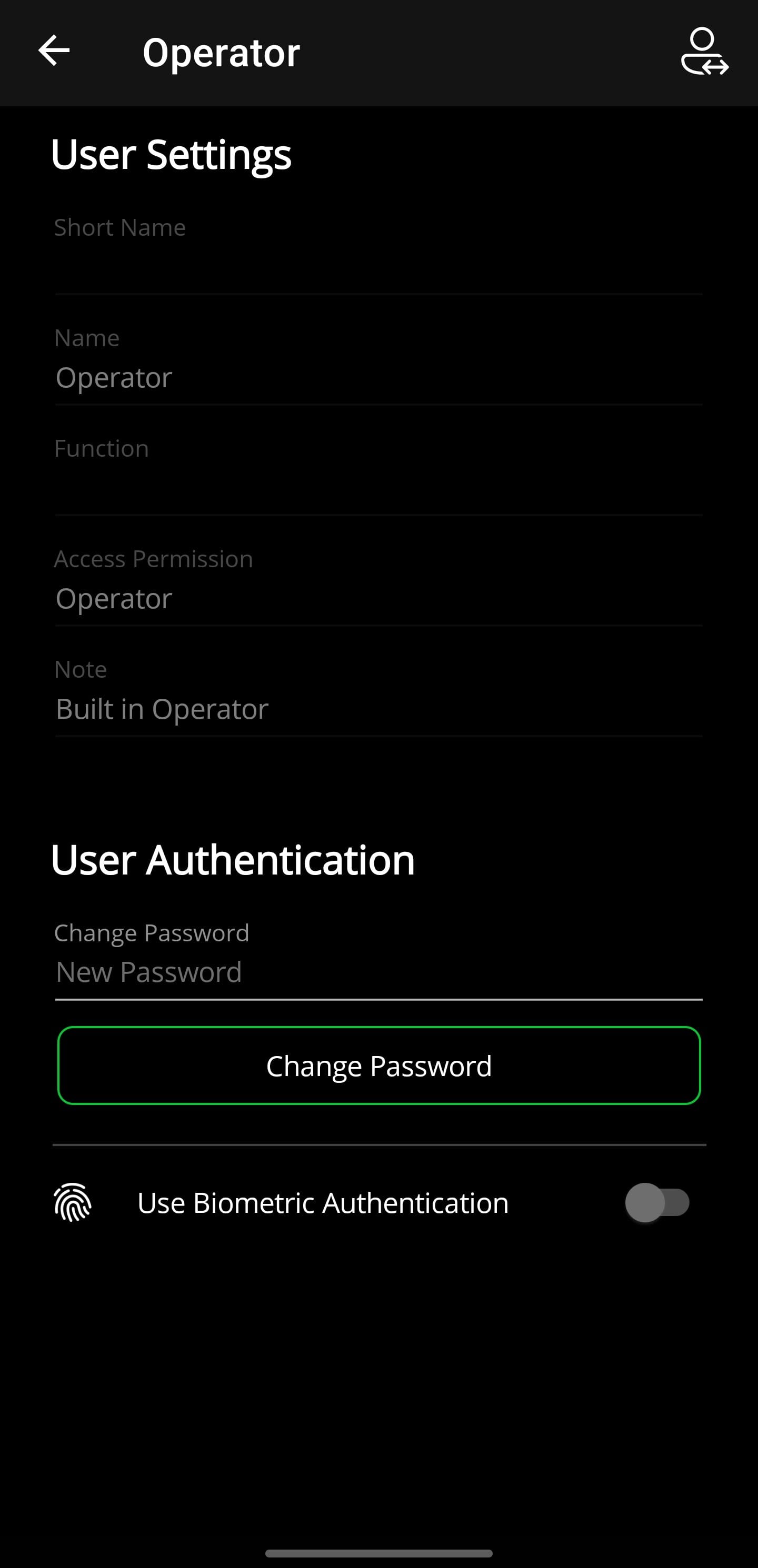
You can also set the passwords for the individual users here.
If possible, biometric authentication can also be used.
💡
If no password is set, this user will be automatically logged in when the application starts